
PRACTICAL SELECTION GUIDE
How to Choose a Mini ESS for Home Backup
Start with the devices your household cannot lose, then match output, stored energy, placement, and charging to that written plan.
To choose a Mini ESS, list the loads that must stay on, add their running watts, estimate how many watt-hours they use, and then check placement and charging. Do not begin with a model name. A clear load brief lets you compare products on the same assumptions and exposes missing information before you request a quote.
YDPOWER's Mini ESS range includes models from 300W to 2000W and 800Wh to 4000Wh. Those numbers describe different limits. Output in watts controls what can run at one time, while capacity in watt-hours affects how long supported loads may run. The method below explains how to use both without turning an estimate into a promise.
STEP 01 · DEFINE THE JOB
List the loads that must stay on
Begin with an outage routine, not every appliance in the home. Write down what must work for lighting, airflow, communication, study, refrigeration, or a small work task. Keep comfort loads separate from critical loads. This first cut often makes the required system smaller and easier to operate.
For every device, copy the running wattage from its label or manual. Note the quantity and whether devices will run together. A home with four lamps, one fan, a router, and two phone chargers needs one row for each load type. If a rating is missing, mark it for confirmation instead of guessing from a similar appliance.
Some appliances draw more power when a motor or compressor starts. Ask the appliance supplier for the starting demand and have it checked against the selected Mini ESS before ordering. Also note the plug type, AC voltage, and frequency required in the destination. These details can disqualify an otherwise attractive option.
- Write the appliance name, quantity, and rated running watts.
- Mark which loads must operate at the same time.
- Estimate daily hours only after the essential list is stable.
- Flag starting loads, uncertain labels, and local electrical requirements.
Use the home backup planning routes to refine the household scenario. The goal here is a factual inventory. It is not yet a product recommendation.
STEP 02 · SEPARATE TWO LIMITS
Understand watts versus watt-hours
Watts measure the rate of power use. Add the wattage of devices that may run together, because their combined demand must stay within the system's supported output. A capacity figure does not solve an output mismatch. A large battery can still be paired with an output limit that is too low for the simultaneous load.
Watt-hours measure stored energy. A simple planning line is device watts × hours used = watt-hours needed. Calculate each row, then add the rows for one outage or one day. The method can compare lighting used for several hours with a fan used for a different period. Use the actual label values and intended hours rather than sample numbers from another home.
The arithmetic is a planning estimate, not guaranteed runtime. Conversion losses, load changes, temperature, battery condition, and devices cycling on and off can change the result. Keep a margin and ask how the chosen product is rated. A deeper runtime worksheet should state every efficiency assumption instead of hiding it inside a final number.
A useful rule for the first shortlist
Check output before capacity. First confirm that the simultaneous running load fits. Then compare capacity against the energy total and stated assumptions. This prevents a high Wh number from hiding an unsuitable W limit.
STEP 03 · PLAN THE PLACEMENT
Compare movable and wall-mounted forms
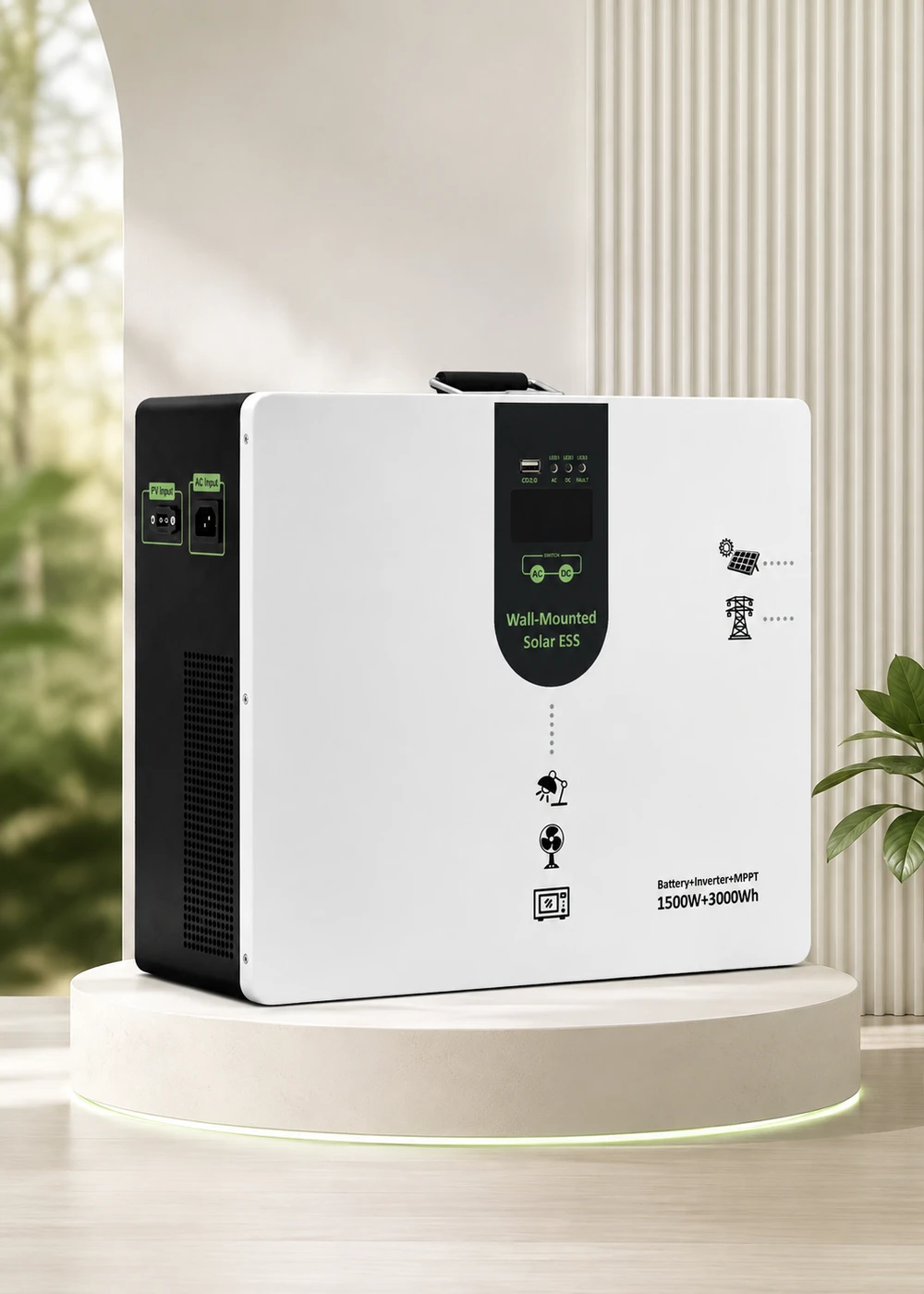
Placement affects daily use. Decide whether the unit needs to move between rooms, stay near one group of appliances, or remain in a fixed wall-side location. Leave access for connections and follow the product instructions for ventilation, mounting, and indoor placement. A wall-mounted form may save floor space, while a movable form can support changing household routines.
Compare A, B and W Series by placement, enclosure and connection needs. A Series units use metal enclosures and movable placement. B Series units are portable, use plastic or metal enclosures by model, and emphasize multiple interfaces. W Series units can be wall-mounted or used as movable units.
| Series | Product format | Capacity range | Output range | Use in a shortlist |
|---|---|---|---|---|
| A Series | Movable, metal enclosure | 800–4000Wh | 300–2000W | Start here when a broad movable range is needed. |
| B Series | Portable, plastic or metal enclosure; multiple interfaces | 800–2000Wh | 300–700W; B1000 delivers 700W pure sine-wave output with a 1000W peak | Review when portability and device interfaces matter. |
| W Series | Wall-mountable or movable, metal enclosure | 2000–4000Wh | 1000–2000W | Review for space-saving placement and higher defined loads. |
Explore the movable A Series range, the compact B Series range, or the wall-mounted W Series range after the placement decision. These pages explain each form. The all-model comparison is the next step when you need model-level specifications.
STEP 04 · VERIFY THE ENERGY PATH
Check solar and AC charging inputs
A system is only useful if it can be recharged within the household routine. Record whether charging will come from AC power, solar panels, or both. Then check the input voltage window, maximum input power, connector, and local AC supply against the exact model. Do not assume that one panel arrangement fits every unit.
Solar input voltage windows vary across the range. Many A and B models use 12–60V inputs. A1500S and A2000S use 18–110V, W1000S uses 11–55V, and W1500S and W2000S use 18–120V. Maximum PV input ratings span 200W to 1200W across models. These values show why the panel string must be matched to the selected unit rather than to the series name alone.
AC input ranges also vary by model and market version. EU A Series models support 90–280V, while US A300C, A500C and A1000C models accept 85–135V at 60Hz. EU W1000S, W1500S and W2000S support 100–280V, while EU W1000R supports 180–253V. Before purchase, check local supply voltage, plug type, frequency and charging arrangements against the exact model manual.
- Record the available AC range and how often grid power returns.
- List the solar panel voltage, power, connector, and proposed wiring.
- Confirm input limits from the exact model document.
- Ask a qualified installer to review the solar and electrical arrangement.
STEP 05 · MAKE THE COMPARISON REPEATABLE
Document assumptions before comparing models
Put the decision in one page. Include the essential load table, simultaneous watts, planned hours, energy estimate, charging sources, placement, local voltage and frequency, and every open question. Date the sheet and keep the appliance labels or manuals used as evidence. Send this information with your enquiry so the supplier can recommend models for your appliances and schedule.
Separate confirmed facts from assumptions. “Fan label: 45W” is a fact from the device. “Fan runs eight hours” is a household assumption. “Runtime will be eight hours” is a conclusion that still depends on the complete load, losses, and product behavior. Keeping those categories separate makes quotes easier to compare and reduces false precision.
Only now should you open the Mini ESS product range and compare candidates. Use the same brief for every model. If one quote uses different loads or hours, correct the basis before comparing capacity, output, or price. Compare output, capacity and charging inputs in the product table.
Your quote-ready Mini ESS brief
- Essential devices, quantities, running watts, and simultaneous groups
- Hours per load and total watt-hours, with efficiency left as a stated assumption
- Starting-load questions and any unknown appliance ratings
- Movable, wall-mounted, or fixed wall-side placement preference
- AC supply, solar panel details, connector needs, and charging routine
- Destination voltage, frequency, plug, installation, and service questions
BRING THE LOAD LIST
Turn your household plan into a product shortlist.
Share the appliance ratings, simultaneous loads, required hours, placement, and charging sources. YDPOWER can help you compare suitable models.