MAINTENANCE & CARE GUIDE
How to Maintain Home Battery Storage Systems: Practical Care and Longevity Guide
A modern Mini ESS requires minimal physical intervention, but consistent habits around ambient temperature, ventilation clearances, and storage state-of-charge ensure your system reaches its full 6,000+ cycle potential.
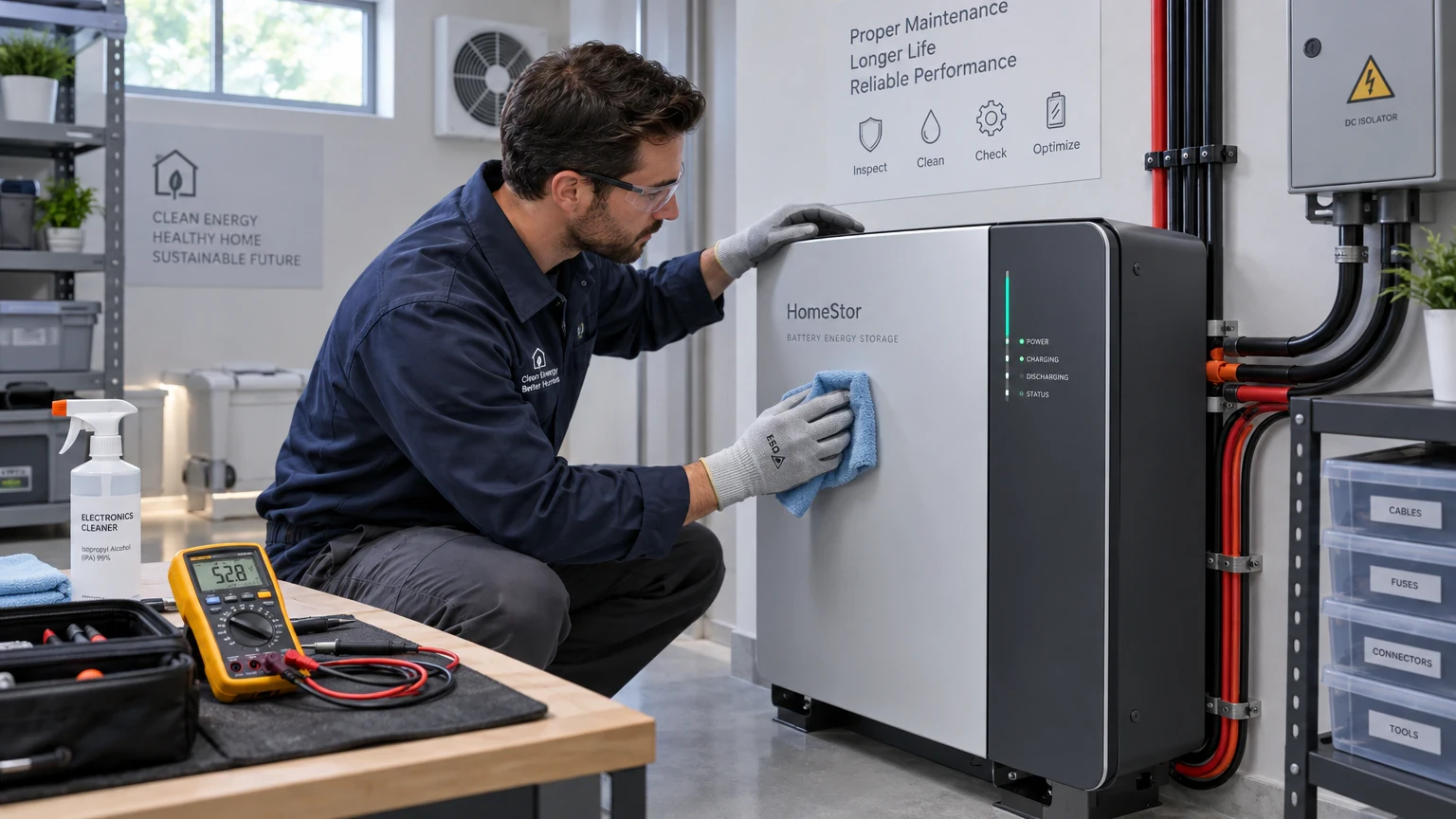
To maintain a residential Mini ESS, place the unit in a well-ventilated space between 15°C and 30°C away from direct sunlight, maintain a 10 cm clearance around cooling vents, avoid leaving the unit at 0% or 100% state of charge for long idle periods, and wipe the exterior quarterly with a dry microfiber cloth. Following these simple practices prevents premature cell wear and keeps the system operating safely for over 10 years.
Modern residential energy storage appliances are solid-state and sealed, eliminating messy acid refills or mechanical adjustments common to legacy lead-acid backups. However, electrochemical cells are sensitive to heat, dust, and continuous deep-discharge abuse. Here is an evidence-backed maintenance protocol for homeowners and local technicians.
STEP 01 · CELL PHYSICS
Understanding the Three Drivers of Lithium Battery Aging
Lithium Iron Phosphate (LiFePO4) cells, standard across YDPOWER systems, are remarkably durable. However, degradation occurs through three distinct mechanisms:
- Thermal Acceleration: Operating above 45°C speeds up secondary chemical reactions in the electrolyte, forming thicker passivating layers on the electrodes.
- High-Stress Voltage Retention: Keeping a battery continuously float-charged at 100% capacity under elevated temperatures places prolonged chemical stress on the cathode materials.
- Deep Depletion Lockout: Allowing a system to sit at 0% charge for months can lead to internal cell voltage dropping below safety thresholds, triggering emergency BMS lockout to protect against internal copper shunts.
Understanding these drivers allows you to configure your daily essential backup power setup for maximum longevity without sacrificing availability.
STEP 02 · ENVIRONMENT
Installation Environment: Managing Temperature & Airflow
Where you place your Mini ESS matters as much as how much power you draw:
- Maintain Clearances: Ensure at least 10 cm (4 inches) of open space on all sides of the unit, particularly around the active intake and exhaust vents. Do not stack blankets, cardboard, or household items on top of the unit.
- Avoid Heat Sources: Keep the device away from cooking stoves, direct sun-exposed window sills, and unshaded outdoor verandas. In hot climates like Nigeria or the Philippines, choose a shaded interior hallway or shaded utility corner.
- Moisture & Dust Protection: High humidity and fine dust can settle on internal cooling fans. Install the unit on a flat floor or wall mount, elevated at least 15 cm above ground to avoid floor splash and dust accumulation.
For tight living areas, explore our space-efficient compact home backup units and robust metal-enclosed systems designed for residential environments.
STEP 03 · CHARGING HABITS
State of Charge (SoC) Hygiene and Cycling Best Practices
Your daily charging routine directly impacts the speed of battery wear:
| Operating Condition | Recommended Practice | Avoid |
|---|---|---|
| Daily Cycling | Discharge down to 10%–20%, recharge to 95%–100%. | Leaving unit at 0% overnight after complete outage depletion. |
| Continuous Grid Connected | Allow regular exercise cycles once a month. | Permanent float-charging in unventilated hot cupboards. |
| Solar Input Matching | Verify solar array stays strictly within model input voltage windows. | Over-voltage panel arrays that trigger protective controller shutoff. |
If powering low-wattage continuous devices like lighting, fans and phones, the discharge curve is smooth and gentle, representing the ideal operating regime for lithium cells.
STEP 04 · INSPECTION
Routine Visual Inspection and Safe Cleaning Procedures
Establish a simple quarterly inspection routine:
- Cable & Port Check: Turn off all output switches. Visually inspect AC cords, DC solar connectors, and USB sockets for signs of loose fitting, frayed insulation, or soot discoloration.
- Dust Removal: Use a soft, dry brush or a low-pressure can of compressed air to gently clear lint from intake vents. Never use vacuum cleaners with metal nozzles that generate static electricity.
- Casing Integrity: Check that the metal housing remains completely flat with no bulging, swelling, or unusual odors. Any swelling indicates severe internal cell abuse and requires immediate technical support.
For questions on warranty coverage and authorized service procedures, visit our official frequently asked questions page.
STEP 05 · STORAGE
Seasonal Storage and Long-Term Idle Guidelines
If you plan to store your Mini ESS during rainy seasons or while away from home for several months, follow the 50-50 Rule:
- Discharge or charge the battery to approximately 50%–60% State of Charge.
- Turn off all Master AC and DC switches to eliminate parasitic standby draw from internal display meters.
- Store in a temperature-controlled room between 15°C and 25°C with relative humidity below 75%.
- Every 3 months, power the system on, check the voltage, and perform a brief top-up charge back to 50%–60% to prevent deep discharge self-drainage.
Proper preparation ensures that when grid failure strikes, your energy reserve is immediately ready to deliver clean, quiet power.
STEP 06 · FAQ
Maintenance Frequently Asked Questions
How often should a residential Mini ESS be inspected?
Perform a basic visual inspection every 3 to 6 months. Check that cooling vents are clear of lint and dust, verify AC/DC cable connections are snug and undamaged, and inspect the enclosure for any abnormal heat or physical distortion.
What is the optimal state of charge (SoC) if storing the battery unused for months?
Never store a lithium energy storage system at 0% or 100% SoC for extended periods. The ideal storage range is between 50% and 60% capacity in a cool, dry location (15°C–25°C). Reconnect and perform a top-up charge every 3 to 6 months to offset natural BMS quiescent discharge.
Can I clean the Mini ESS exterior with liquid cleaners?
No. Never spray water, chemical detergents, or aerosol solvents directly onto the battery unit or into ventilation ports. Always power off the AC/DC switches and use a dry, clean micro-fiber cloth to wipe the exterior metal casing and port covers.
Does running the battery to 0% hurt its lifespan?
Yes. While YDPOWER systems feature integrated Battery Management Systems (BMS) with low-voltage cutoff protection, repeatedly running any battery to absolute empty increases internal cell degradation. Maintaining daily discharge within 10%–90% DoD significantly maximizes lifetime cycle count.