
YDPOWER / PRACTICAL GUIDE
Home Backup Runtime: Lights, Fans and Phones
Estimate how long a Mini ESS can run your lights, fan, laptop and phone chargers. Start with appliance wattage and hours of use, then allow for conversion losses and devices running together.
STEP 01
Identify device wattage before estimating runtime
The first input in a runtime estimate is the power each appliance draws. Read the rating label, user manual or a measured value for the exact device. A lamp, fan and phone charger may look like simple loads, but their actual ratings can differ by design, speed setting and charging state.
Record watts rather than relying on appliance names. Also note whether the value is an input rating, a typical measured draw or a maximum. Those labels describe different conditions, and mixing them makes the worksheet look more accurate than it is.
Next, classify how each load behaves. A light can remain steady. A fan may change with speed. A refrigerator cycles, while a phone charger usually reduces demand as the battery fills. The runtime estimate should preserve those differences instead of hiding them in one total.
- Continuous loads: devices expected to run through most of the backup window.
- Cycling loads: devices that switch on and off or change demand automatically.
- Short-use loads: appliances used for a defined task, not the full outage.
- Charging loads: phones and similar devices whose power draw changes over a charge cycle.
Make priority visible too. Mark essential lighting, communication and ventilation first, then list optional loads. If a value is missing, write “confirm device rating.” Do not borrow wattage from a similar appliance just to complete the sheet.
STEP 02
Calculate energy use by watts, hours and overlap
Convert each planned use into watt-hours: watts × hours = watt-hours. A 120W notebook used for four hours represents 480Wh before losses. This is an energy figure, while the notebook’s 120W label is a power figure. Keeping watts and watt-hours separate prevents a common sizing error.
Create one row for every appliance and time block. If two devices run together, their wattage overlaps. If one runs later, its energy still counts, but it does not raise the same simultaneous power peak. A sound runtime estimate checks both energy demand and concurrent power.
- Write the exact device and its documented or measured wattage.
- Enter the planned operating hours for the backup event.
- Multiply watts by hours for each row.
- Add watt-hours to estimate the event’s ideal energy demand.
- Add watts only for devices expected to operate at the same time.
For cycling equipment, use a measured duty pattern when available. Otherwise, leave the cycle assumption clearly marked for confirmation. Do not treat a 300W refrigerator as if it necessarily draws 300W every minute, and do not ignore starting behavior when reviewing power compatibility.
Phone capacity in milliamp-hours requires voltage and conversion-efficiency information before it can be compared with ESS capacity in watt-hours. The phone recharge counts below are reference values; actual counts vary with the handset, battery size and charging cable.
| Reference load | B1000C · 1600Wh | B1000S · 2000Wh |
|---|---|---|
| Notebook computer (120W) | Around 12 hours | Around 15 hours |
| Microwave oven (300W) | Around 4.2 hours | Around 5.3 hours |
| Camping lamp (125W) | Around 11 hours | Around 14 hours |
| Refrigerator (300W) | Around 4.2 hours | Around 5.2 hours |
| Phone (4000mAh) | Around 112 recharges | Around 140 recharges |
These approximate reference values apply to one listed device at a time. Actual runtime varies with power draw, simultaneous use, battery charge, temperature and conversion losses.
STEP 03
Account for conversion losses for the selected load
An ideal division assumes every stored watt-hour reaches the appliance. Real systems use energy in battery management, inverter conversion, wiring and the appliance’s own power supply. A runtime estimate therefore needs a loss allowance, so ask for efficiency or runtime results under the intended load and operating conditions.
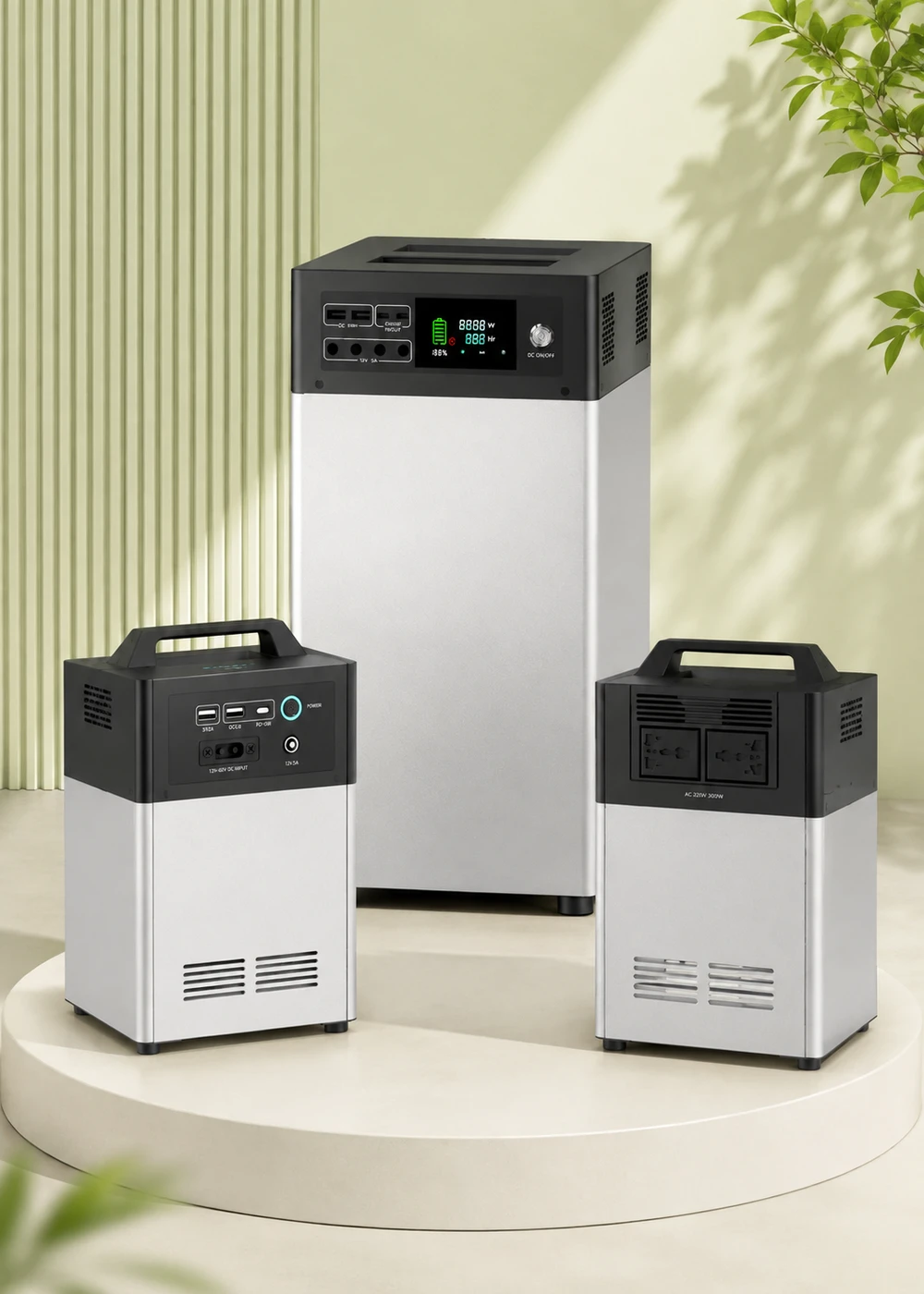
B1000C has a 1600Wh battery and a reference runtime of around 12 hours for a 120W notebook. Dividing capacity by load gives 1600Wh ÷ 120W ≈ 13.3 hours, about 1.3 hours longer than the reference value. Runtime planning therefore needs an allowance for losses and operating conditions.
That gap demonstrates why ideal capacity division can overstate delivered runtime. It does not create a correction factor that should be copied to fans, refrigerators or another model. Every load has its own behavior, and the reference results should be checked against the test load, battery state and ambient temperature before they inform an order.
B1000S has a 2000Wh battery and a reference runtime of around 15 hours for the same 120W notebook, compared with about 16.7 hours from capacity division alone. The difference helps illustrate a runtime allowance; it does not establish a conversion efficiency for every load.
Calculate the ideal runtime first, then allow for inverter losses and standby power. For a time-critical load, ask for runtime information for the selected model and appliance.
STEP 04
Interpret a runtime estimate as a scenario
A runtime estimate is meaningful only when its scenario stays attached. State the appliances, wattage source, planned hours, overlap, cycling assumptions and charging conditions. A number without those notes cannot be audited or compared with a real outage plan.
Start the runtime estimate with a “no charging during the event” scenario. This gives a clear view of stored-energy demand. If solar or AC charging may operate, model that as a separate case rather than subtracting an optimistic charging figure from the first result.
Then test the runtime estimate against the schedule. Essential lighting may run after sunset, a fan may run for a longer block, and phones may charge in turns. Staggering flexible loads can lower simultaneous watts even when total watt-hours remain similar. That difference matters when checking the model’s output limit.
Compare your estimate with the table above. The notebook, microwave, lamp and refrigerator runtimes each apply to one appliance operating alone. Running several devices together changes the runtime. Phone recharge counts use a 4000mAh reference phone and vary with battery size and charging method.
Compare your household estimate with our single-device reference values. Running several devices together creates a different load from a single-appliance example.
- Allow a runtime margin when planning from approximate reference values.
- Keep individual-load references separate from mixed-load scenarios.
- Update the sheet when appliance wattage or operating hours change.
- Record open assumptions instead of silently choosing favorable values.
For a household starting this process, the daily essential power planning route helps separate critical loads from optional ones. The broader home backup solution overview connects load planning with placement and charging choices.
STEP 05
Know when to review a larger model or a leaner load plan
Do not choose a larger unit from one runtime estimate alone. Review two limits: simultaneous power and required energy. A plan can exceed the power limit for a short overlap even when total watt-hours look modest. It can also stay within the power limit but require more energy than the planned window allows.
A runtime estimate also needs room for uncertain device behavior. Motors and compressors can have starting demand that a simple running-watt entry does not describe. Ask for the starting demand of each motor-driven appliance and confirm compatibility with the selected Mini ESS; running watts alone cannot establish it.
You may also improve the plan by reducing optional loads, staggering charging or shortening use. This can be more useful than increasing capacity automatically. Keep lighting, communication and necessary ventilation at the top, then test what changes when lower-priority loads are removed.
Use the Mini ESS model comparison to compare rated output and battery capacity. Open the B1000C model page or B1000S model page when one of those exact models is under review. Check the specifications of each model separately.
For regional charging context, review Southeast Asia solar storage planning, home learning and remote work backup, or small shop backup planning. Each route changes the schedule and priority discussion, but the same runtime estimate method applies.
Send your appliance list, wattages, expected hours of use and charging options with your enquiry. Our team can help you compare output power and battery capacity for your needs.
NEXT PRACTICAL STEP
Need a model-specific runtime review?
Send the exact appliances, label wattage, planned hours and overlap periods. YDPOWER can check the worksheet against the selected model specifications and identify any measurements needed before a recommendation.